Replica Rescue automatically backs up your entire PC — operating system, applications, and all your files — encrypts everything before it leaves your device, and restores your full system in under 90 minutes even if Windows won't boot.
Full system
Full‑PCImage recovery
On your PC
EncryptedBefore storage
F11 boot
USB RecoveryBare‑metal restore
Always on, always protected
Your PC backed up every night — automatically.
Once installed, the Replica Rescue agent runs silently in the background. Every night it takes a full encrypted snapshot of your entire PC and stores it locally and in the cloud simultaneously. You never have to think about it.
Full bare-metal image — OS, apps, and all your files
Encrypted on your PC before upload — we can't read it
Local + cloud simultaneously on all hybrid plans
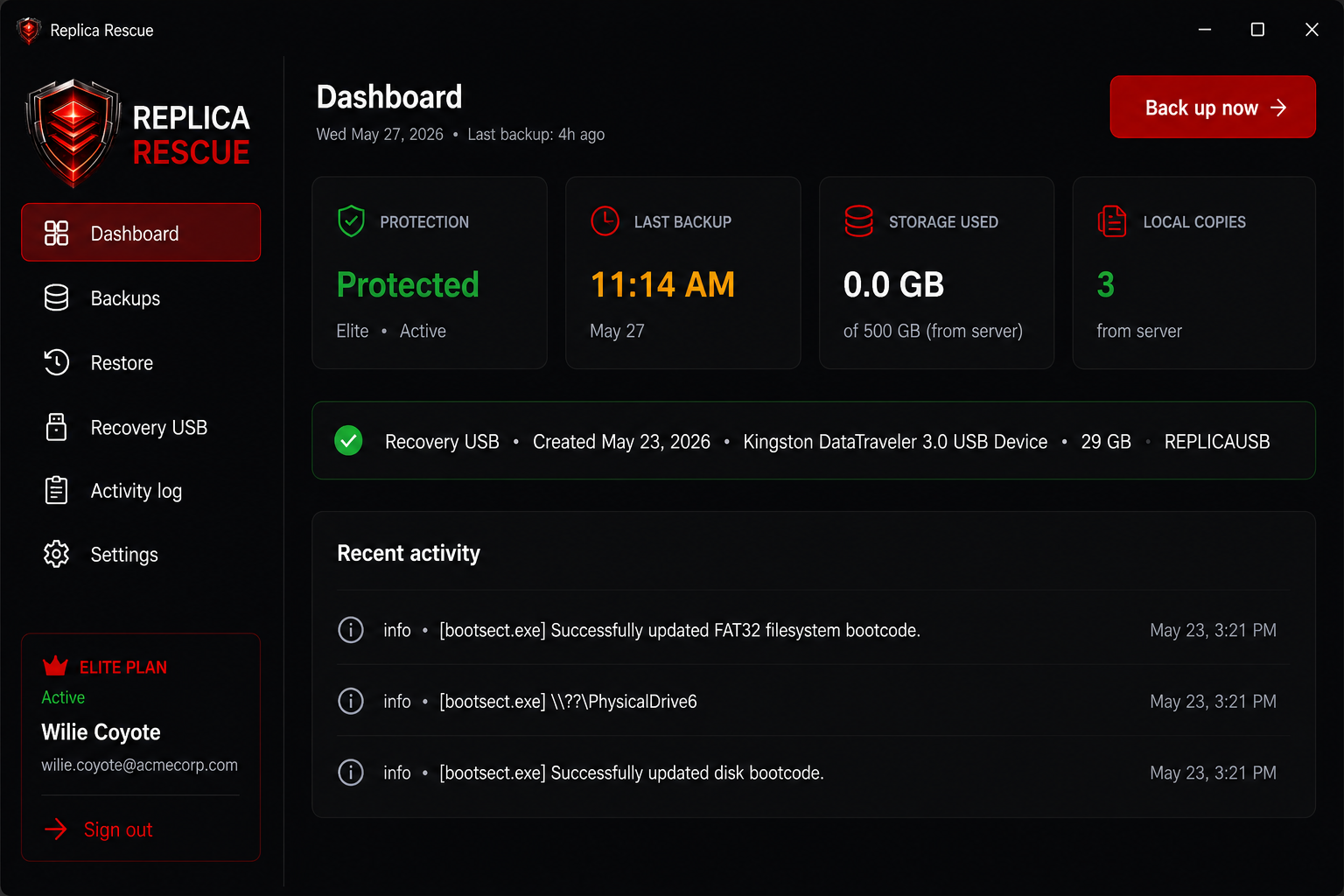
Dashboard shows protection status, storage, and history
Protection active — last backup 2h ago
Agent DashboardSave screenshot as images/agent-dashboard.png
The Replica Rescue agent dashboard — protection status, backup history, and storage at a glance.
Recovery Environment — Step 2 of 3
Recovery EnvironmentSave screenshot as images/rescue-step2.png
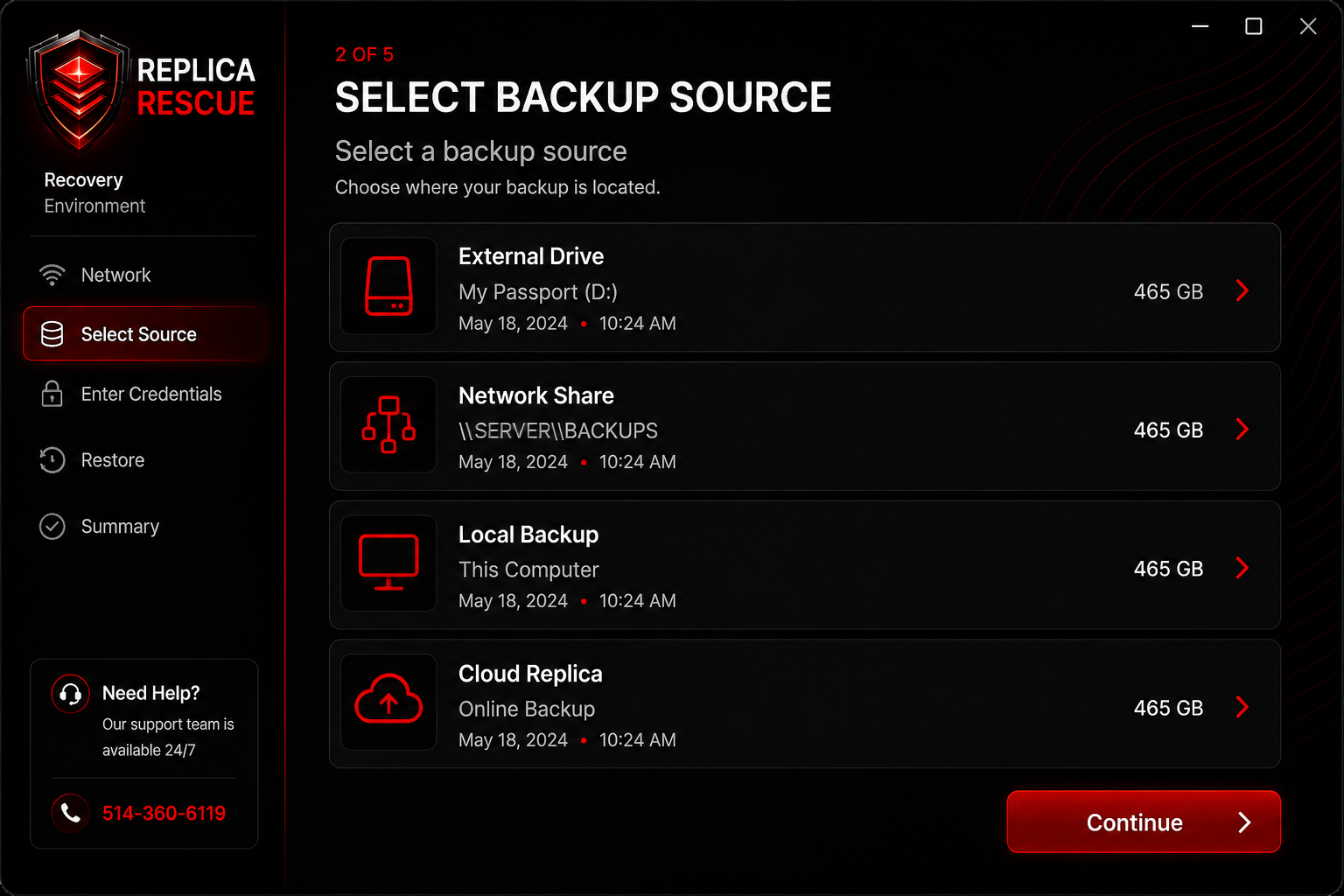
The guided Recovery Environment — select your backup source and restore your full PC step by step.
When you need it most
Back up and running in under 90 minutes.
When a drive fails, plug in your Replica Rescue USB, press F11, and the Recovery Environment takes over. It finds your backup, unlocks it with your password and 24-word recovery phrase, and puts your full PC back on a new drive — no technician needed.
Boots from USB — works even if Windows is completely gone
Your password and phrase stay on your side — never sent to us
Full system restored in 30–90 minutes from any source
Step-by-step guided — no technical knowledge required
All prices in CAD. All plans include encrypted backups and a Recovery Environment USB.
Essential, Advanced and Elite are all hybrid plans
Every subscription includes both local backup (external drive or NAS) and encrypted cloud backup running simultaneously. Your data is always in two places at once — local for speed, cloud for disaster.
Local only
Local
For you if you already have an external drive or NAS and want the agent, encryption, and recovery USB.
All prices in CAD · Billed monthly · Cancel anytime · One data recovery call costs more than a year of protection
Why protect your PC with us?
A hard drive failure, ransomware attack, or accidental deletion can happen to anyone. Here's what sets Replica Rescue apart.
$1,500+
Drive failure? Lab data recovery can run thousands
90min
Average time to restore a full PC from backup
0
Keys or passwords stored on our servers
Restore even if Windows won't boot
Your recovery USB boots independently of your main drive. Dead drive, corrupted Windows, ransomware — it doesn't matter. Plug in the USB, press F11, and follow the steps.
All plans
Your data is yours — we can't read it
Everything is encrypted on your PC before it leaves. Your password and 24-word recovery phrase are never sent to our servers — we cannot open your backup without them.
All plans
Two copies, automatically
Essential, Advanced and Elite plans back up to both your local drive and the cloud simultaneously — every night. If your external drive fails, the cloud copy has you covered.
Hybrid plans
Go back in time with restore points
Choose any backup from your restore window — 7 days on Essential, 30 days on Advanced, or unlimited on Elite. Accidentally deleted something last week? Go back to before it happened.
Advanced +
Someone on the phone when you need it most
Elite subscribers get direct phone support during a live recovery. We monitor your restore in real time and stay on the line at 514‑360‑6119 until your PC is back up.
Elite only
Ready to protect your PC?
Replica Rescue is built for the moment when the machine fails, Windows will not boot, or a drive needs to be replaced quickly. Get set up in minutes.
Download the agent, activate with your key, finish setup and create recovery USB. Once your first backup completes, you're covered. If your drive ever fails, your recovery USB gets you back up in under 90 minutes — no technician needed.
<10min
First backup running
4x
Backup destinations
24-word
Recovery phrase
How Replica Rescue works
Everything is designed to be simple enough for anyone to use — and reliable enough to trust when it matters most.
Install the agent
Download and run the Replica Rescue installer on your PC. It sets itself up and starts running in the background automatically.
Activate & phrase
Enter your activation key to register the device. A 24-word recovery phrase is generated. In the activation screen, write down or print the Replica Rescue Recovery Card with all 24 words listed and store them securely.
Monitor health
Dashboard and tray status show protection state, last backup time, storage usage, and any errors.
Restore fast
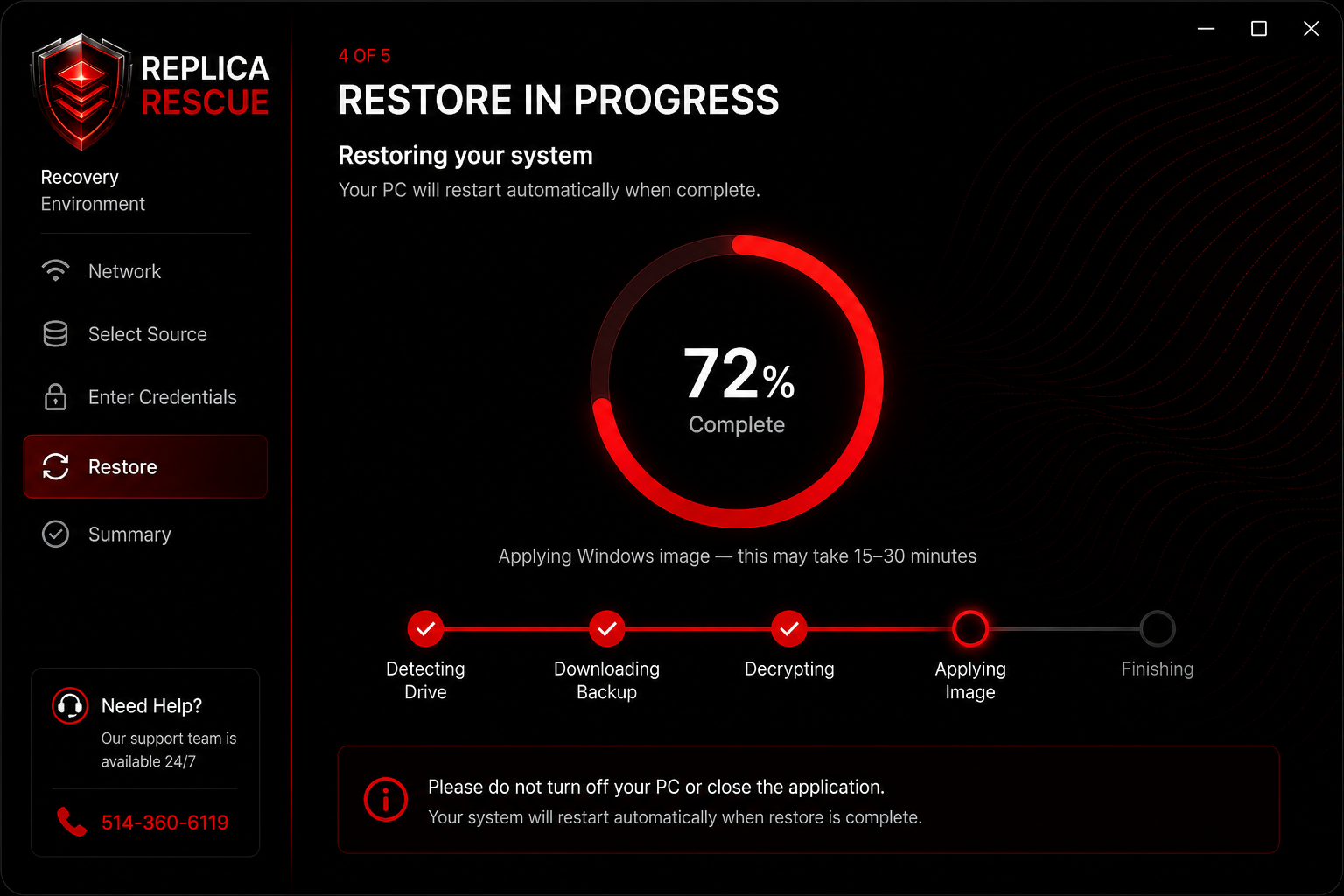
Boot from the recovery USB, connect to internet, select the backup source, enter credentials, and restore.
The Windows agent
Real screenshots from the Replica Rescue desktop app — dashboard, restore, and recovery USB management.
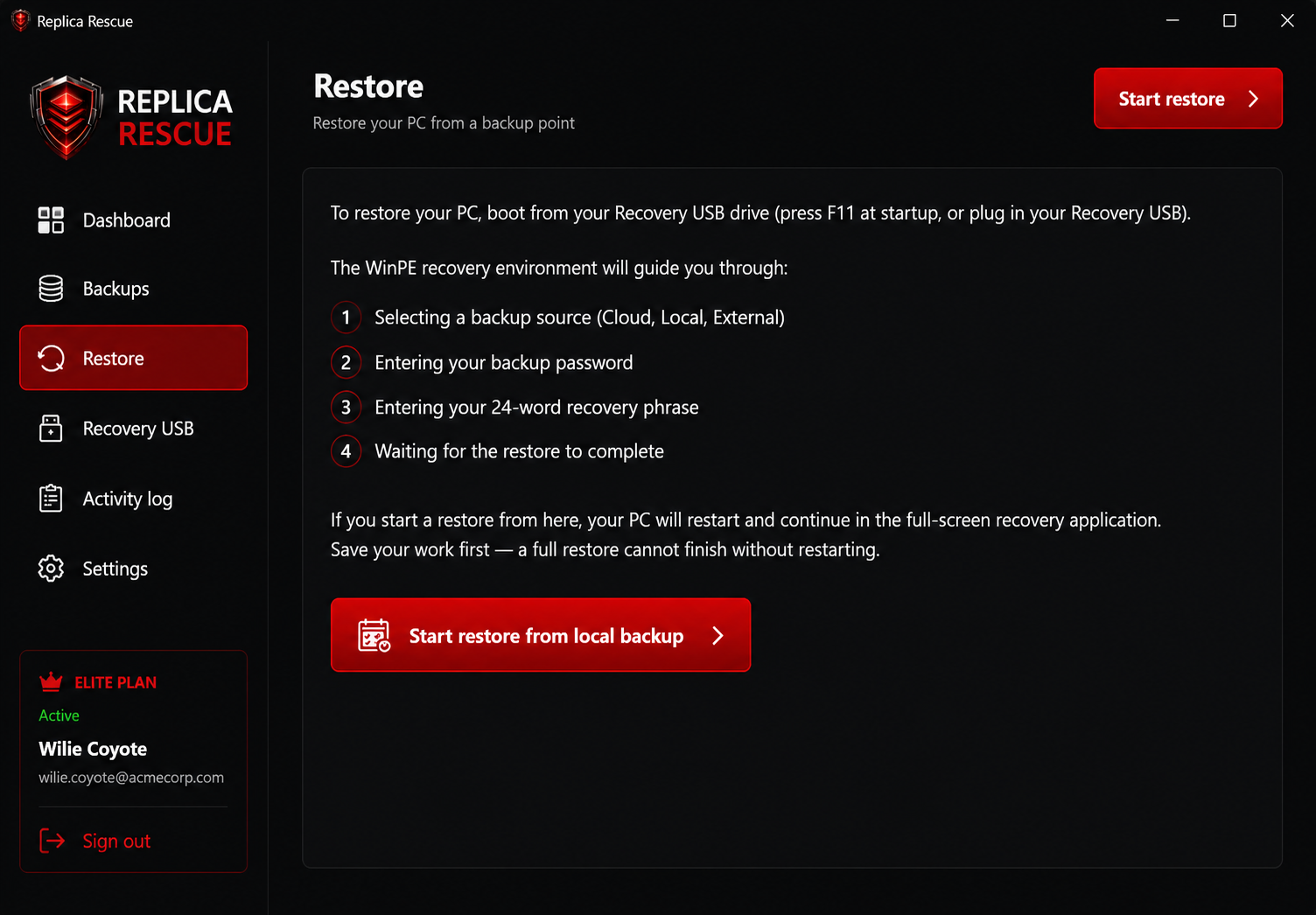
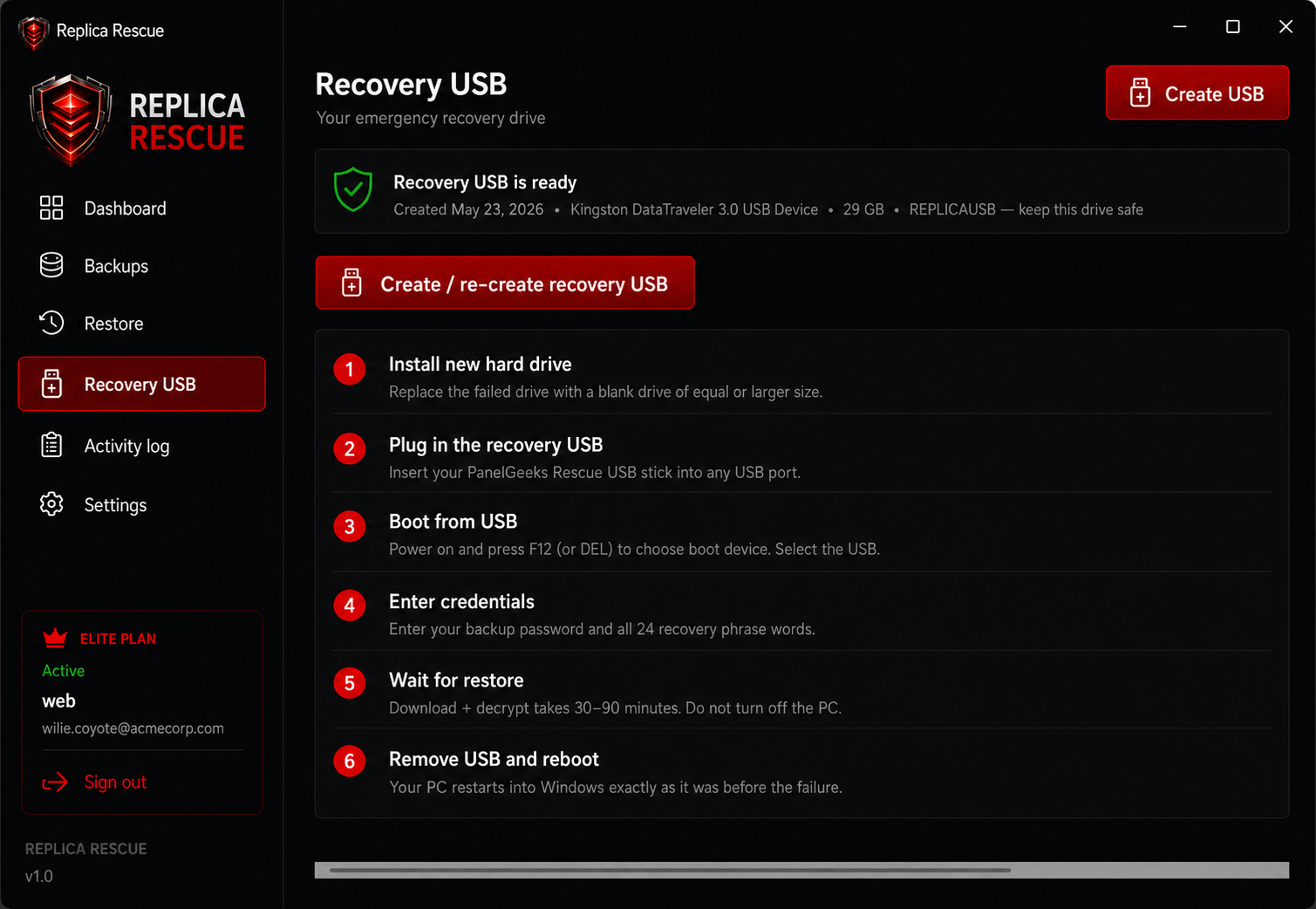
DashboardProtection status, last backup, storage usage, and recovery USB health at a glance.RestoreStart a local restore or boot from the recovery USB for bare-metal recovery.Recovery USBCreate or re-create your bootable USB and follow the printed recovery steps.
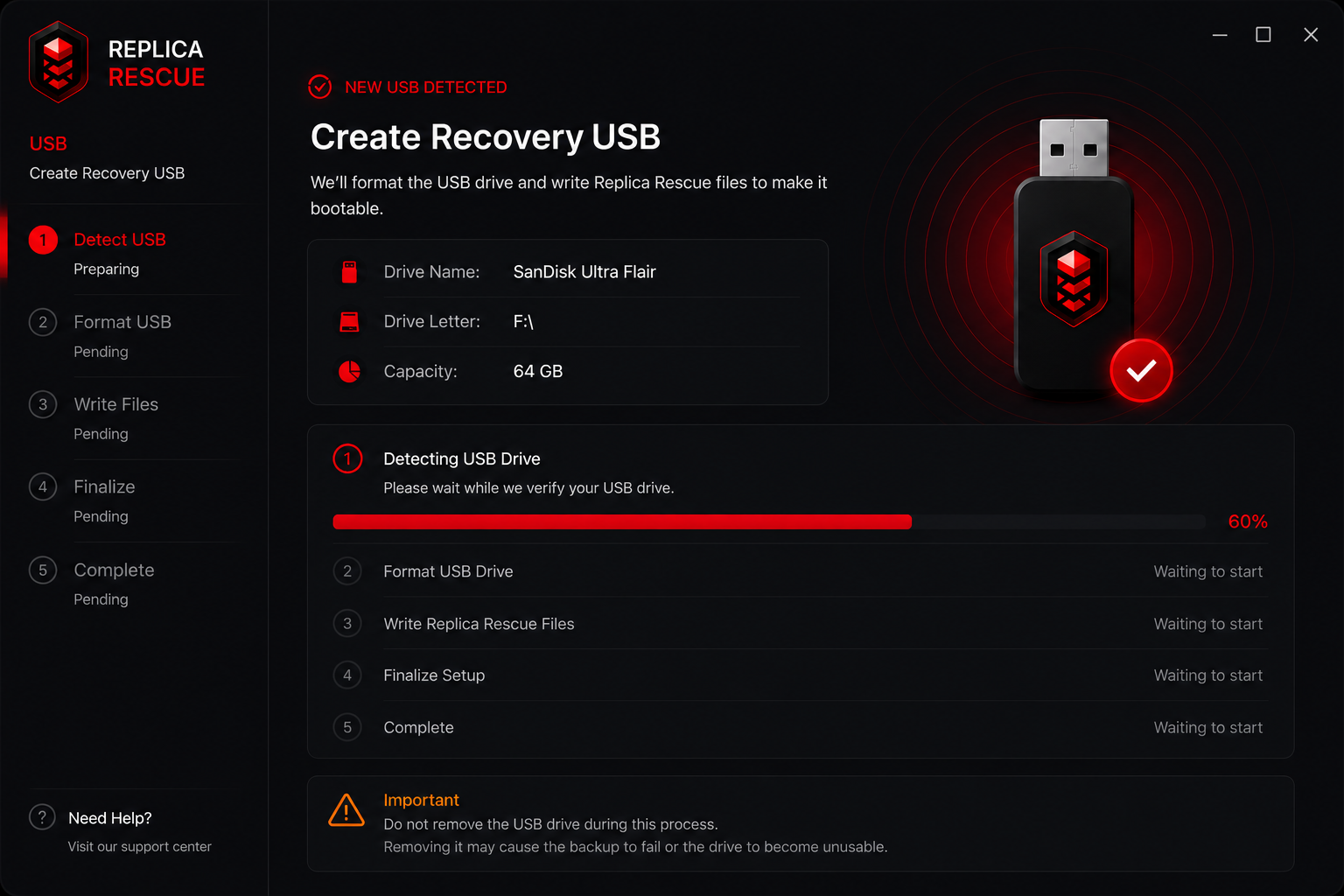
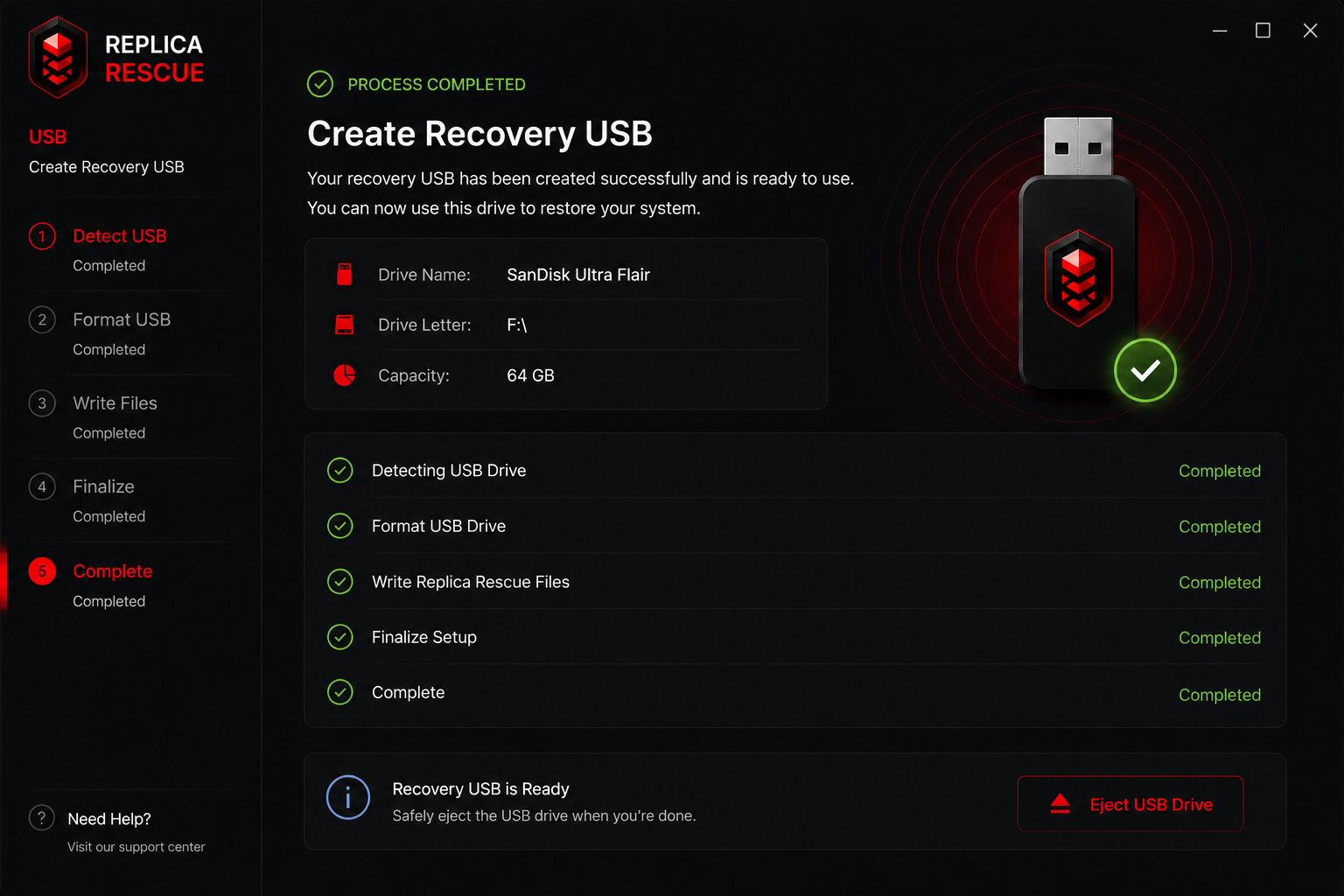
Recovery USB setup
From the first prompt to a bootable drive — the agent walks you through USB creation safely.
USB detectedThe agent verifies your drive before formatting and writing files.USB readyConfirmation when your bootable recovery drive is complete.
Built for real recovery, not just file sync.
Protects your complete Windows environment: OS, applications, user data, configuration, and restore metadata.
Windows agent
Runs quietly in the background, monitors backup health, and keeps replicas current without interrupting the user.
Encrypted replicas
Your backup is locked on your PC before it is saved or uploaded. Your backup password and recovery phrase never leave your device.
Cloud or local storage
Store replicas on external drives, network shares, local storage, or secure cloud storage — simultaneously.
Recovery USB
Boot into a branded Recovery Environment when Windows is broken, missing, or the drive has been replaced.
Bare‑metal restore
Prepare a new blank drive and restore the system image with a guided, panic‑reducing workflow.
Managed alerts
Get notified when backups fail, storage is disconnected, or recovery action is needed immediately.
What's included
Everything Replica Rescue protects and stores for you.
What
Details
Windows system
Full system image — operating system, drivers, and settings
Your files
Documents, Desktop, Downloads, and personal folders
Applications
Installed programs and their settings, restored together
Privacy
Encrypted on your PC before upload — we never receive your password or recovery phrase
Cloud copy
Separate secure cloud space for your subscription (hybrid plans)
Local copies
External drive, NAS, or other destinations — up to four at once
Sign-in
Uses your existing account protection, such as an authenticator app or email code
Ready to protect a PC?
Install the agent and have the first backup running in under 10 minutes.
Even if Windows won't boot and the drive is dead, your recovery USB restores the full system to a new blank drive — no technician needed.
F11
Boot key
30–90
Minutes to restore
7 steps
Guided recovery
Step-by-step recovery guide.
From installing a new drive to Windows booting again — follow these steps in order. Most restores complete in under 90 minutes.
Keep your recovery USB and recovery phrase safe. The USB should be updated after each major Windows update. Store your 24-word recovery phrase in a physically secure location — you need it along with your backup password to restore.
01
Install new drive
Replace the failed drive with a blank drive of equal or larger capacity. No formatting needed.
~5 min
02
Boot from recovery USB
Plug in your Replica Rescue USB and press F11 at startup. Select USB from the boot menu.
~2 min
03
Connect to network
Connect to Wi-Fi or ethernet. The Recovery Environment auto-detects ethernet and verifies your subscription.
~2 min
04
Select restore point
Choose from available backup dates. Cloud, local, external drive, and NAS sources all available.
~1 min
05
Enter credentials
Enter your backup password and all 24 recovery phrase words. They are checked on your PC only — never sent to our servers.
~3 min
06
Restore in progress
Your backup is downloaded, unlocked, and written to the new drive. Progress is shown live. Do not power off the PC during this step.
30–90 min
07
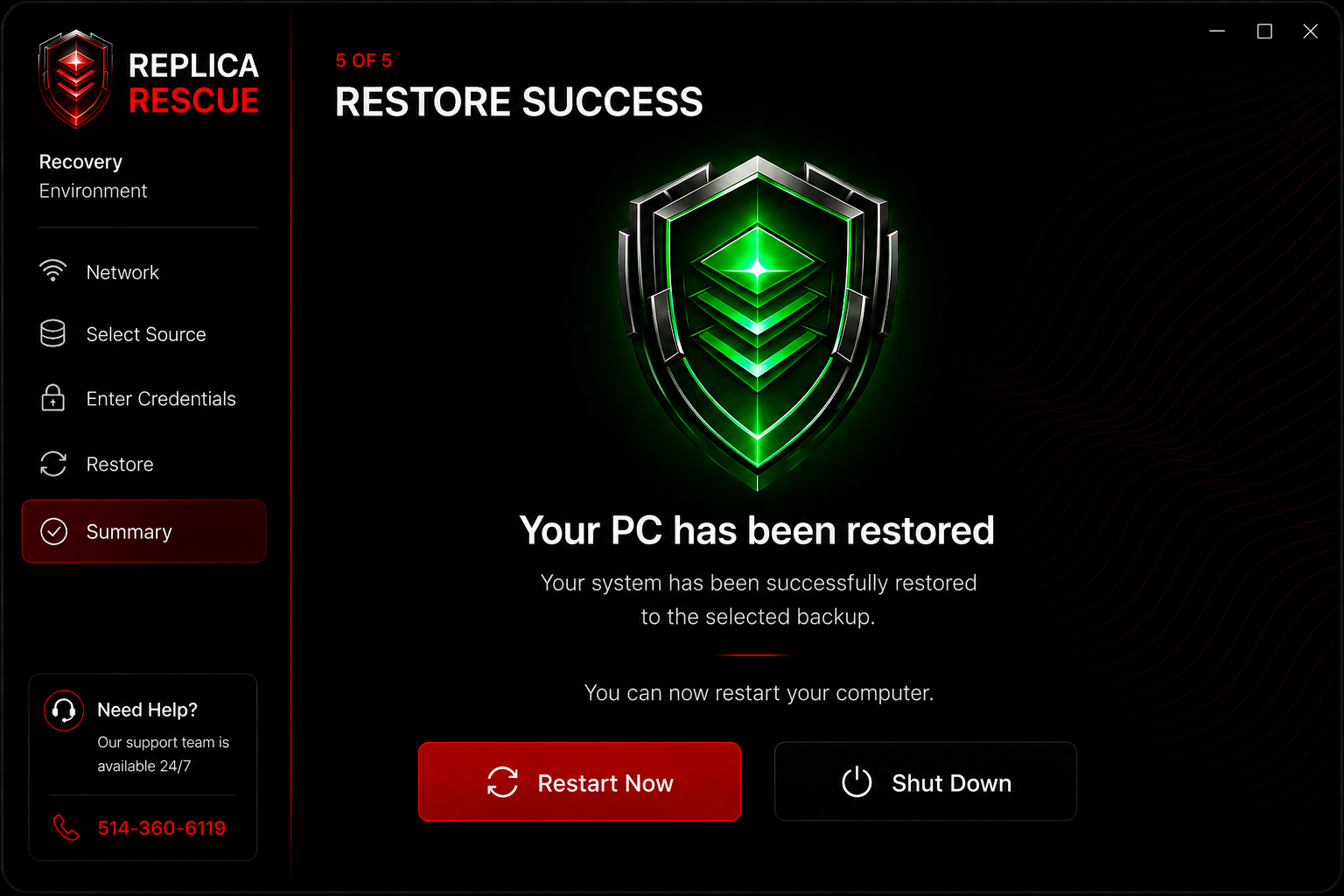
Your PC has been restored
Remove the USB and restart. Windows boots exactly as it was before the failure.
✓ Done
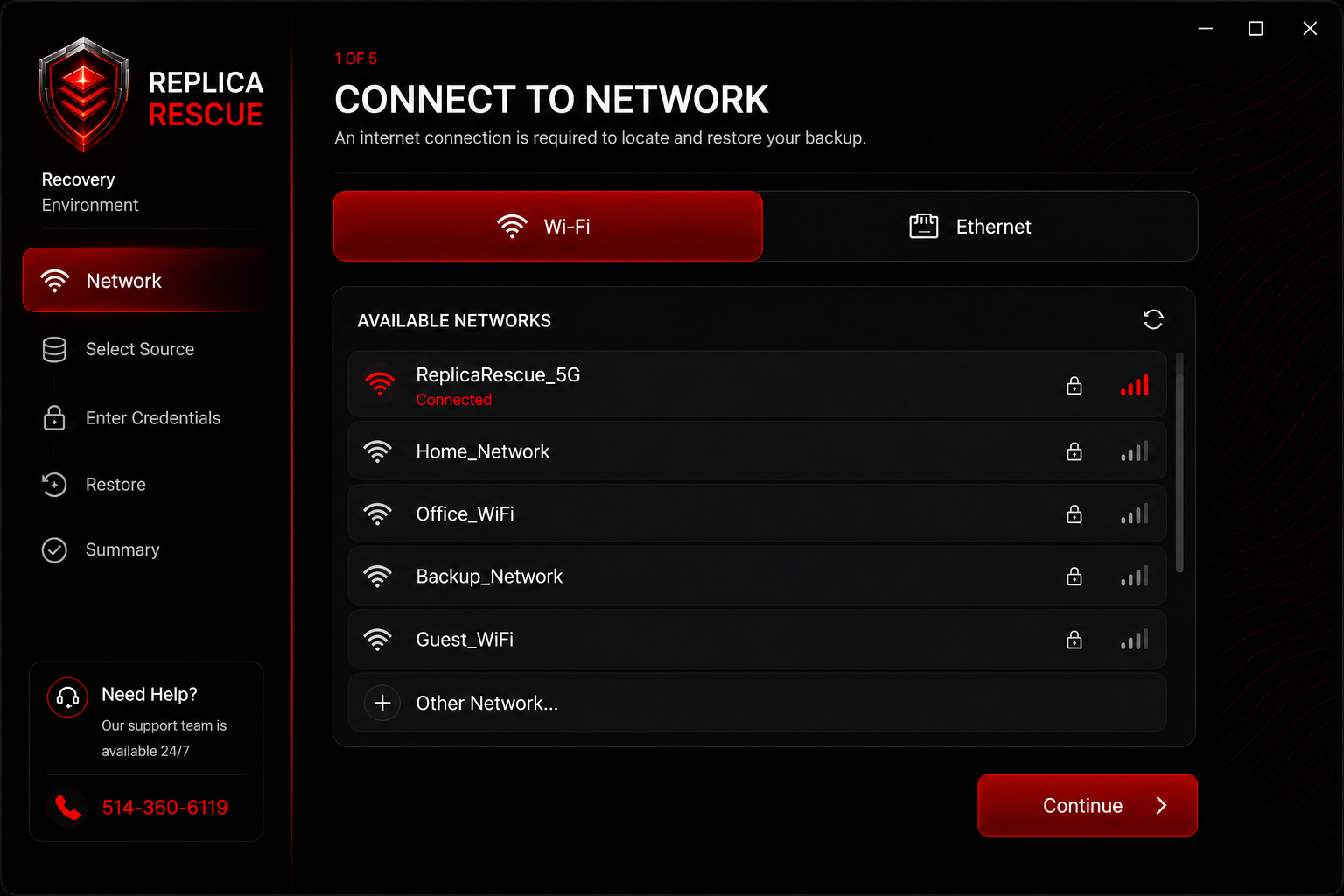
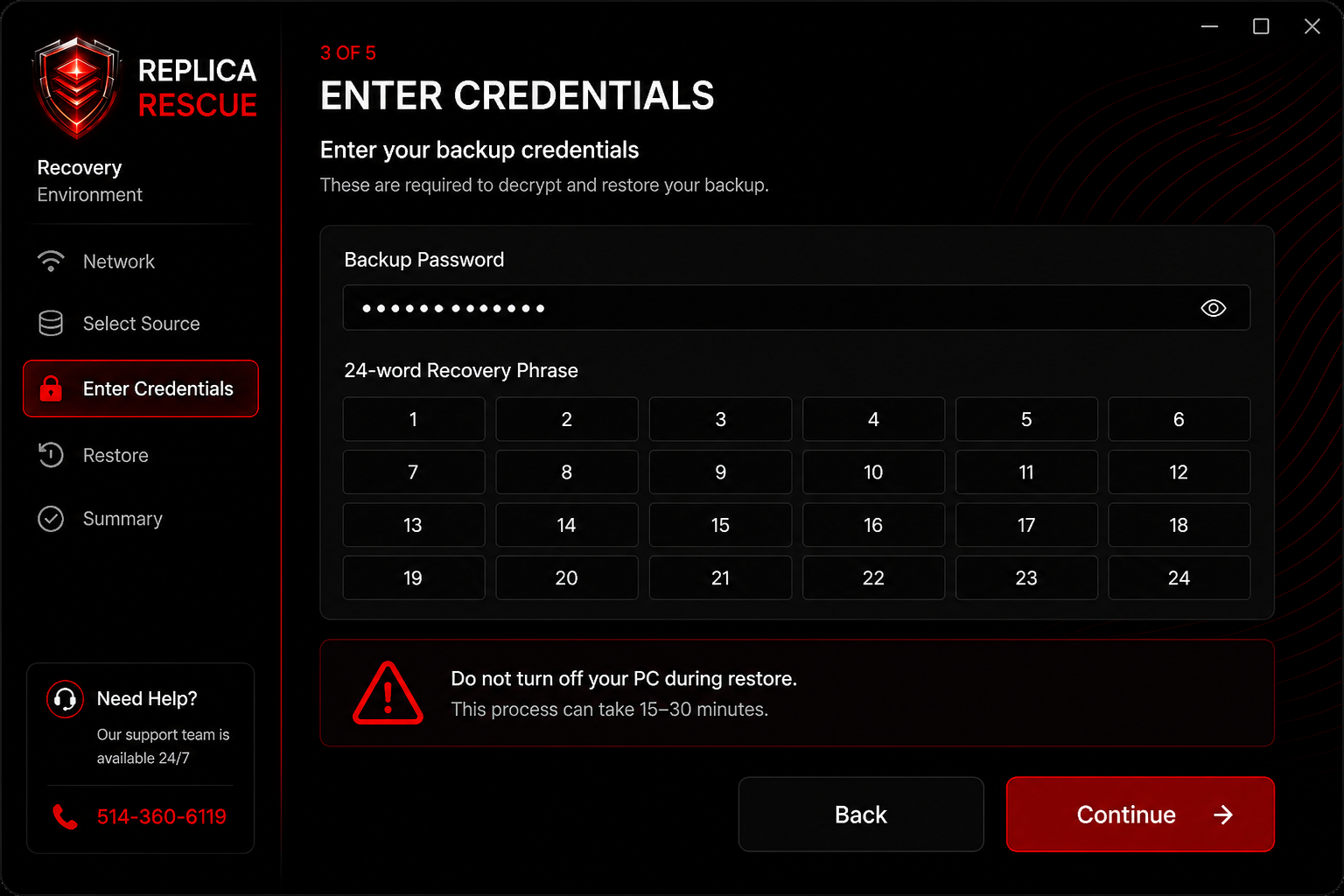
Recovery Environment preview
Actual screenshots from the full-screen recovery app — five guided steps from network to success.
1. NetworkConnect to Wi‑Fi or ethernet to reach your cloud backup.2. Select sourceChoose external drive, network share, local copy, or cloud.
3. CredentialsEnter your backup password and 24-word recovery phrase.4. RestoreYour backup is downloaded and applied to the new drive with live progress.5. SuccessRestart into Windows exactly as it was before the failure.
Replica Rescue › Security
Your data stays yours.
Backups are encrypted on your PC before they are saved or uploaded. Your password and recovery phrase never leave your device — we cannot open or read your files.
Encrypted on your PC
0
Access to your files
Extra sign-in protection
Privacy you can understand.
Replica Rescue is built so your backups stay locked to you. We handle scheduling, storage, and recovery — not the contents of your files.
Encrypted on your PC
Your backup is scrambled on your computer before it is saved to a drive or sent to the cloud. What we store is not readable like normal files.
Only you have the keys
Your backup password and 24-word recovery phrase stay on your side. Without both, no one — including us — can restore the backup.
Recovery Card
At activation, write down or print the Replica Rescue Recovery Card with all 24 words listed and store it securely with your recovery USB.
Your own cloud space
Hybrid plans keep a separate cloud copy for your subscription. One customer’s backups are not mixed with another’s.
Sign-in protection
Use the same extra sign-in options you already trust on your account — such as an authenticator app or email code.
We cannot browse your files
Support can see that a backup ran and how much space it uses. We cannot open your documents, photos, or apps from the backup.
What we never see
A quick checklist of what stays with you — and what we never receive.
Your files
Only encrypted backup data leaves your PC. Your documents, photos, email, and apps are not visible to us in normal form.
Your backup password
You choose it at activation. It is not sent to our servers and cannot be reset like a website password if lost.
Your 24-word phrase
Generated for your device at activation. Store it on your Recovery Card or in a safe place — you need it to restore after a drive failure.
A readable copy of your PC
Without your password and full phrase together, the backup remains locked. That is what keeps your data private.
Replica Rescue › Support
We're here when it matters.
Priority phone support for Elite subscribers during a live recovery. Email support on all plans. We stay on the line until your PC is back.
514‑360‑6119
Elite phone support
2h
Elite email response
24h
Essential response
We're here when it matters.
Priority support for Elite plan subscribers. All plans include email support and full documentation access.
Phone support
Elite plan subscribers get direct phone support during a live recovery. Our team monitors active restores in real time and will stay on the line until your PC is back.
514‑360‑6119
Elite plan only
Email support
Available on Essential, Advanced, and Elite plans. Response times depend on your plan.
Local PlanNo email support
Essential Plan24h response
Advanced Plan8h response
Elite Plan2h response + phone
Client portal
Manage your subscription, view registered devices, check backup history, download the agent, and remove old devices to free up device slots.
Your backup password cannot be recovered — it is never sent to our servers. If you forget it, your backups cannot be restored. Store your backup password and 24-word recovery phrase together in a secure location such as a password manager or fireproof safe.
Can I install on multiple PCs? +
Yes — depending on your plan. Local and Essential allow 1 device, Advanced allows 3, and Elite allows 5. Each PC gets its own recovery phrase and backup password. Remove old devices from the client portal to free up slots.
How long does a full restore take? +
Typically 30–90 minutes depending on backup size and internet speed. The Recovery Environment shows a live progress bar with step-by-step status. The PC must stay powered on throughout the restore.
What happens if I cancel my subscription? +
Your cloud backups are retained for 30 days after cancellation. After that, data is permanently deleted from secure cloud storage. Local and external drive copies are not affected — they remain on your hardware.
Can you read my backups? +
No. Backups are encrypted on your PC before they are stored or uploaded. Your backup password and full 24-word recovery phrase never leave your device. Without both, your files stay locked — including from us.
Does it work if Windows won't boot? +
Yes — that is the primary design goal. The recovery USB starts a separate Recovery Environment that does not depend on your main drive. It connects to the internet, finds your backup, unlocks it with your password and phrase, and restores Windows to the new drive.
How do I update the recovery USB? +
Open the Replica Rescue agent dashboard, go to the "Recovery USB" tab, and click "Re-create recovery USB". Plug in your existing USB drive and the agent will overwrite it with the latest Recovery Environment. This takes about 5–10 minutes.
Still have questions?
Call us directly or send an email — we'll get back to you based on your plan's response time.